StayNexus Hotel Manager
Run your hotel from WordPress
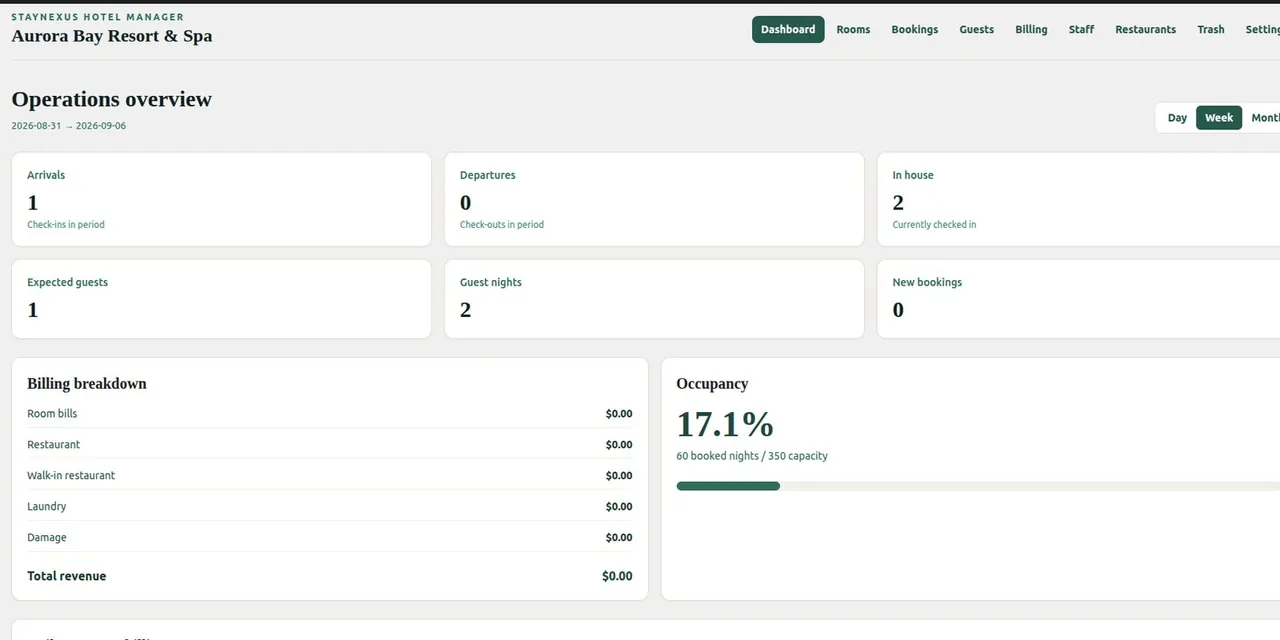
StayNexus Hotel Manager turns WordPress into a complete hotel management and booking system. Manage rooms, reservations, guests, billing, staff, availability, and online bookings from one dashboard.
- WordPress 6.2 or later
- PHP 7.4 or later
- Stripe and Channex accounts are optional
Features
What you get with StayNexus
Rooms & availability
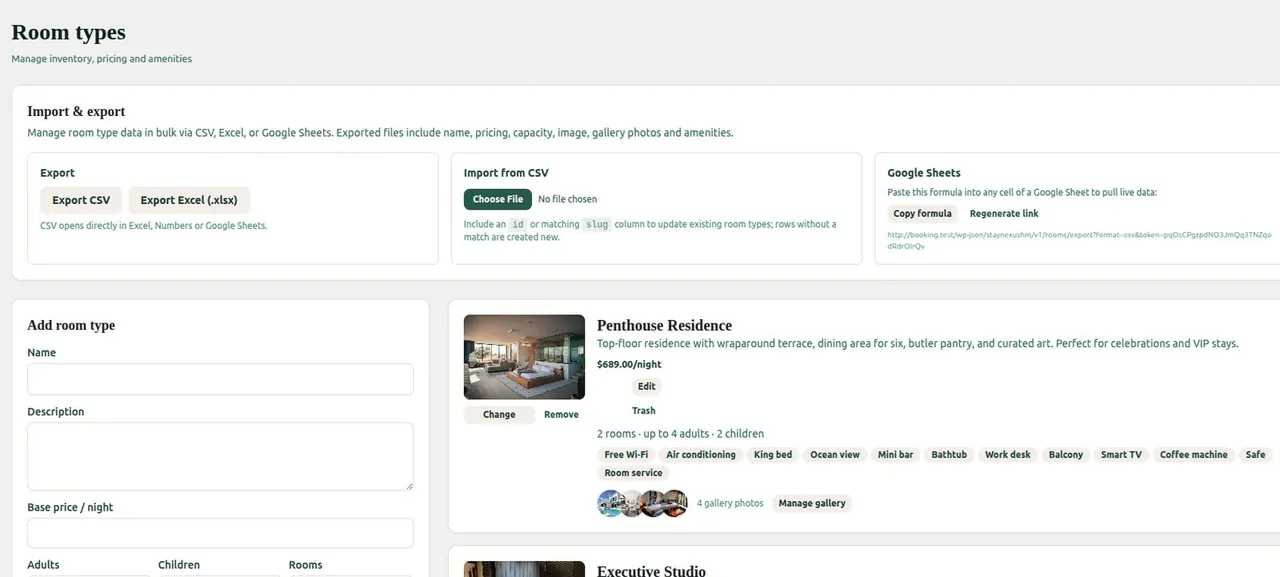
Room types, amenities and date-based availability slots, managed from a fast React admin dashboard.
Direct booking form
Add the [shmpp_search] shortcode to any page for guest search and booking, styled with your own primary colour.
Guests & bookings
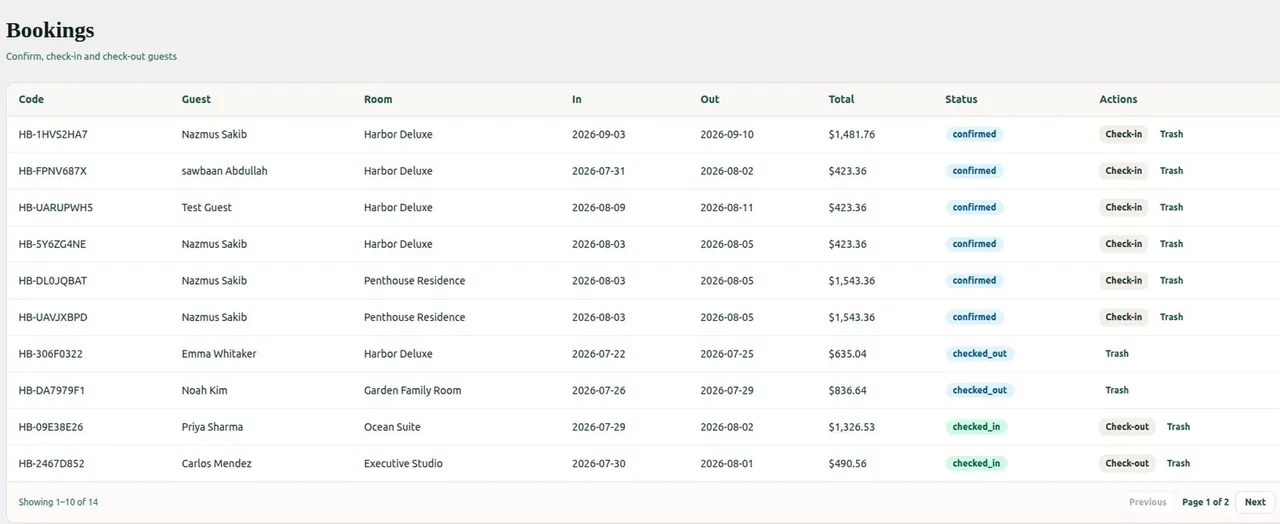
Guest records, booking history and a soft-delete trash, so nothing disappears by accident.
Billing & staff
Room, restaurant, laundry and damage billing, plus staff accounts, roles and salaries.
Flexible payments
Optional Stripe Checkout, bank-transfer instructions or pay at hotel, with a payment reference on every paid booking.
OTA channel sync
Optional Channex connection to sync rates and availability with Booking.com, Agoda and other OTAs.
Screenshots
See it in action
Who it’s for
Why teams choose StayNexus
StayNexus Hotel Manager helps boutique hotels, B&Bs, and chains accept direct bookings on WordPress without expensive third-party fees. Manage rooms, availability, guest records, billing, staff accounts, and OTA synchronization from a single interface.
Boutique hotels & B&Bs
Take commission-free bookings on your own website and keep every reservation in one place.
Guesthouses & hostels
Manage rooms, guests, extra charges and staff without juggling spreadsheets.
Properties listed on OTAs
Keep availability in sync with online travel agencies through your own Channex account.
Get started
Up and running in three steps
-
1
Install & activate
Search for StayNexus Hotel Manager under Plugins → Add New, then install and activate.
-
2
Add your rooms
Create room types, amenities and availability from the StayNexus dashboard.
-
3
Open for bookings
Place [shmpp_search] on a page and choose how guests pay in Payment settings.
Documentation
StayNexus Hotel Manager — Quick Tutorial
Install the plugin, set up rooms, put booking on your site, and take your first reservation.
FAQ
Common questions
Does StayNexus replace my theme?
No. It adds admin screens and a booking shortcode. Your theme still controls the public layout around the booking form.
Do I need a Stripe account to take bookings?
No. Guests can pay at the hotel or follow your bank-transfer instructions. Stripe is only needed if you turn on online card payments.
Do I need Channex?
No. Direct website bookings work on their own. Connect Channex only if you want to sync inventory with OTAs such as Booking.com or Agoda.
Where is guest and booking data stored?
In custom tables in your own WordPress database. Deleted items go to the plugin Trash before they are removed permanently.
More free plugins from Plugin Pros
Ready to try StayNexus?
Free forever. Install it from WordPress.org or reach out if you have questions.