Kinetix Messaging by Ppros
One Inbox for Every Customer Conversation
Kinetix brings your conversations together so your team can manage customer communication from one place — WhatsApp, email, Messenger, Instagram, Telegram, SMS, website Live Chat and more.
- WordPress 6.0 or later
- PHP 7.4 or later
- Public HTTPS URL for webhook channels
Features
What you get with Kinetix
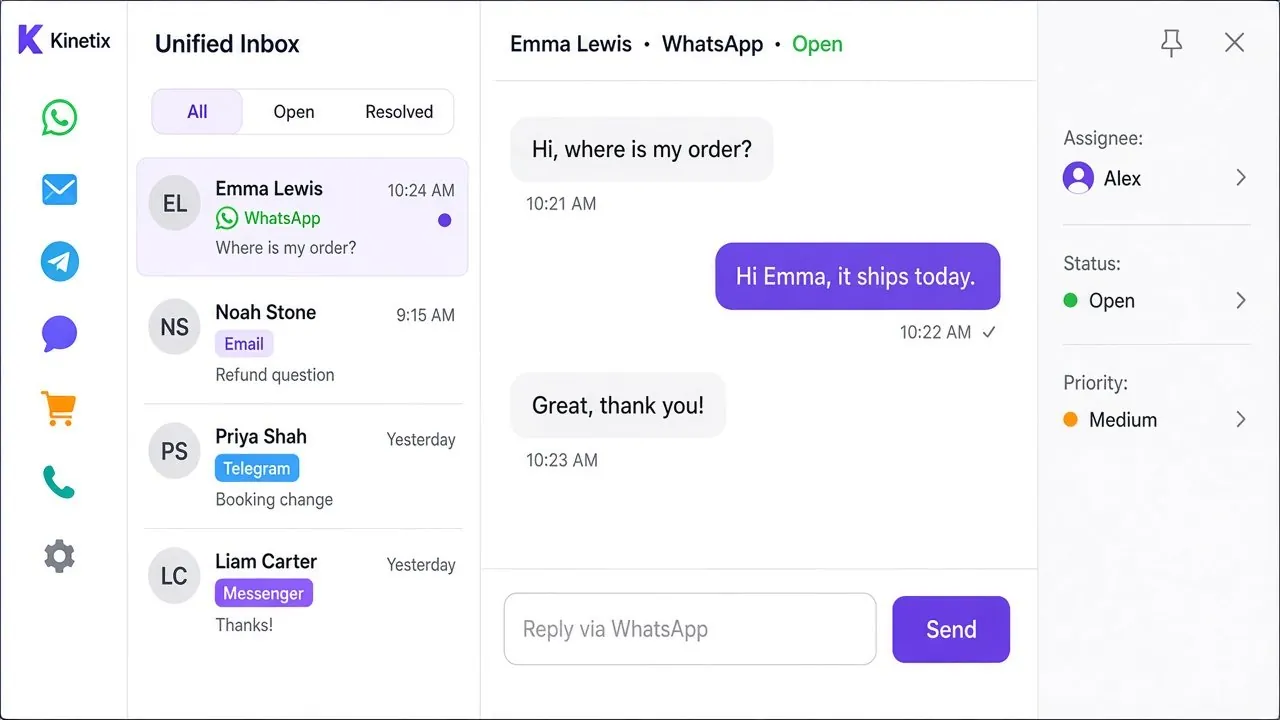
Unified inbox
Every connected channel lands in one WordPress inbox with full conversation history.
Team assignment
Give teammates the Messaging Agent role, assign conversations and see updates in near real time.
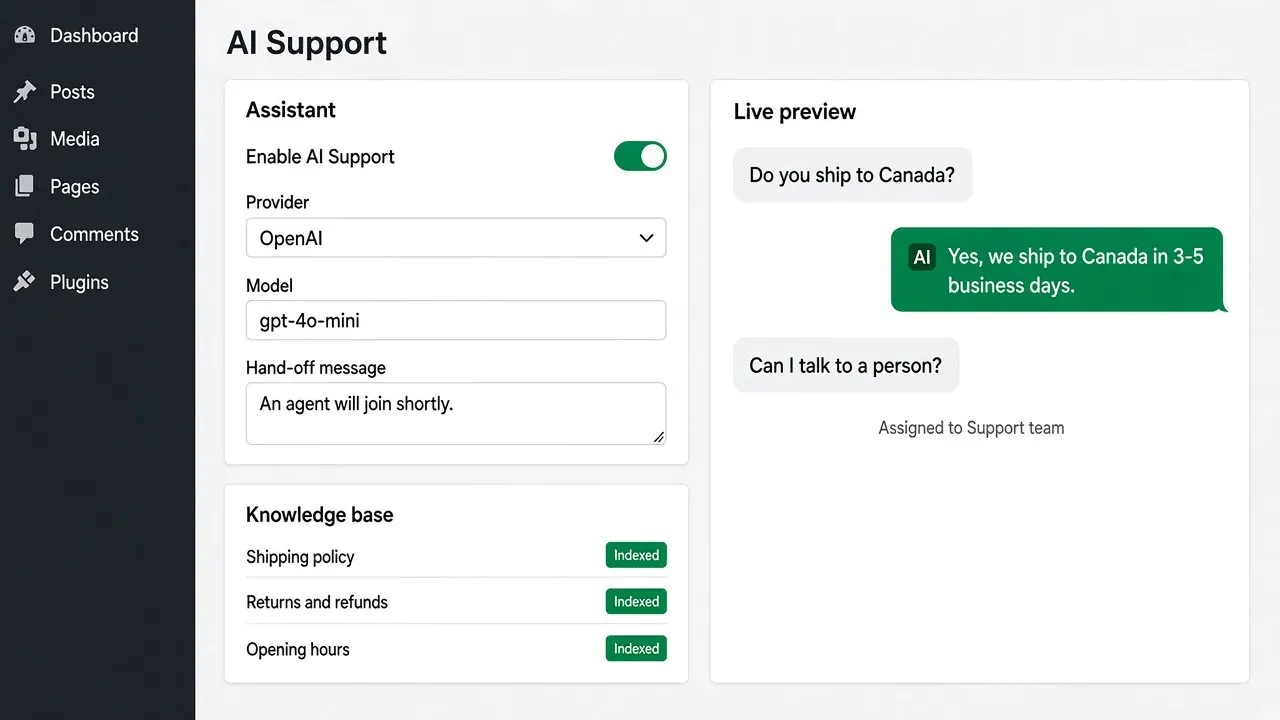
AI Support
An optional AI assistant answers from your knowledge base and hands off to the right department.
Website Live Chat
An on-site chat widget whose visitor messages arrive in the same inbox — no public webhook needed.
Auto-replies
Welcome messages and auto-replies per channel, so customers hear back straight away.
Chat buttons anywhere
Drop a channel button on any page with a shortcode — works in Gutenberg, Elementor and other builders.
Channels
Every channel, one inbox
Bring inbound and outbound email into your shared team inbox.
Manage WhatsApp conversations from WordPress.
Messenger
Respond to Facebook Messenger conversations.
Keep Instagram DMs connected to your customer workflow.
Telegram
Manage Telegram conversations alongside your other channels.
SMS
Send and receive SMS through supported providers.
LINE
Connect LINE conversations to your unified inbox.
Viber
Manage Viber conversations from the same workspace.
Bring WeChat conversations into your team inbox.
Live Chat
Add a chat widget to your website — visitor messages arrive in the same inbox.
Who it’s for
Why teams choose Kinetix
Kinetix Messaging by Ppros is a customer communication platform for WordPress. Customers reach you on the channels they already use — your team replies from one shared inbox with assignment, history, status and priority.
Support teams
Stop switching apps. Assign, prioritise and answer every conversation from WordPress.
Hotels & bookings
Let guests reach you on WhatsApp or Messenger and reply from the same place you manage bookings.
Online stores
Answer order questions quickly with saved context, auto-replies and AI help after hours.
Get started
Up and running in three steps
-
1
Install & activate
Install Kinetix Messaging by Ppros from Plugins → Add New.
-
2
Connect channels
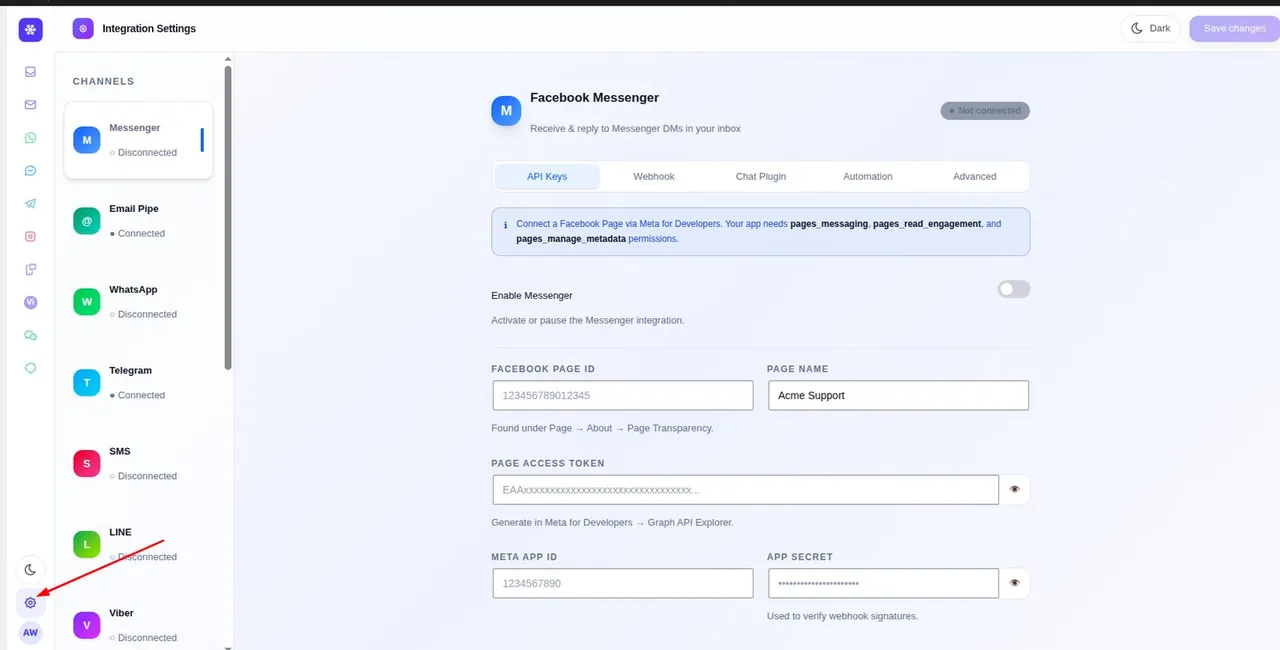
Add credentials for each channel in Kinetix Messaging → Settings and register its webhook.
-
3
Invite your team
Give agents the Messaging Agent role and start replying from the shared inbox.
Documentation
Kinetix Messaging — Channel Setup Guide
Connect email, WhatsApp, Messenger, Instagram, Telegram, SMS, LINE, Viber, and WeChat to one WordPress inbox.
FAQ
Common questions
Can several agents use the inbox at once?
Yes. Give as many teammates as you need the Messaging Agent role. Each signs in to WordPress, and conversations can be assigned to specific agents.
Can I test channels on my local machine?
Webhook channels need a public HTTPS URL, so use a tunnel such as ngrok or Cloudflare Tunnel. Live Chat works on localhost as long as the site can reach the chat service.
How do I add Live Chat to my website?
Open Kinetix Messaging → Settings → Live Chat, paste a free API key, enable the channel and save. The widget appears on every public page.
Does the AI reply to every message?
Only when you enable AI Support. It greets new unassigned conversations, answers from your knowledge base, and stops replying once a human agent is assigned.
More free plugins from Plugin Pros
Ready to try Kinetix?
Free forever. Install it from WordPress.org or reach out if you have questions.